

Contents
What?
Image optimization is a process that improves a website's visibility in search engines, its loading speed, and the overall user experience (UX). With appropriate file names, ALT attributes, formatting, and compression, images can support SEO, attract traffic from Google Images, and improve a website's ranking in search results. It's a crucial element of technical SEO, not only supporting SEO but also improving the quality of a website.
Why?
Image optimization is important because it helps improve page load speed, which directly impacts your Google ranking. Google rewards sites that load quickly and efficiently, both on desktop and mobile devices. Well-optimized images also contribute to a site's visibility in Google Images, allowing you to gain additional organic traffic. Unoptimized images, on the other hand, can lead to drops in search results and an increased bounce rate.
Who is it for?
Image optimization is crucial for anyone running websites, blogs, e-commerce stores, and visual content platforms. This includes business owners, marketers, SEO specialists, and agencies looking to improve their website's SEO. Image SEO is especially important for companies that rely on Google Images for traffic, thereby increasing the visibility of their products, services, or visual content.
Background:
Images have become an integral part of websites, and their optimization is often ignored in SEO strategies. However, over time, search engines like Google have become increasingly proficient in analyzing images, treating them as an important element of a page's content. Therefore, proper image file optimization—using appropriate filenames, ALT attributes, compression, and sizing—can significantly improve a website's SEO results. Optimized images contribute to a better user experience, faster page loading, and a greater chance of appearing in Google Images results. Attention to these details as part of total content SEO becomes a crucial step in building a competitive website.
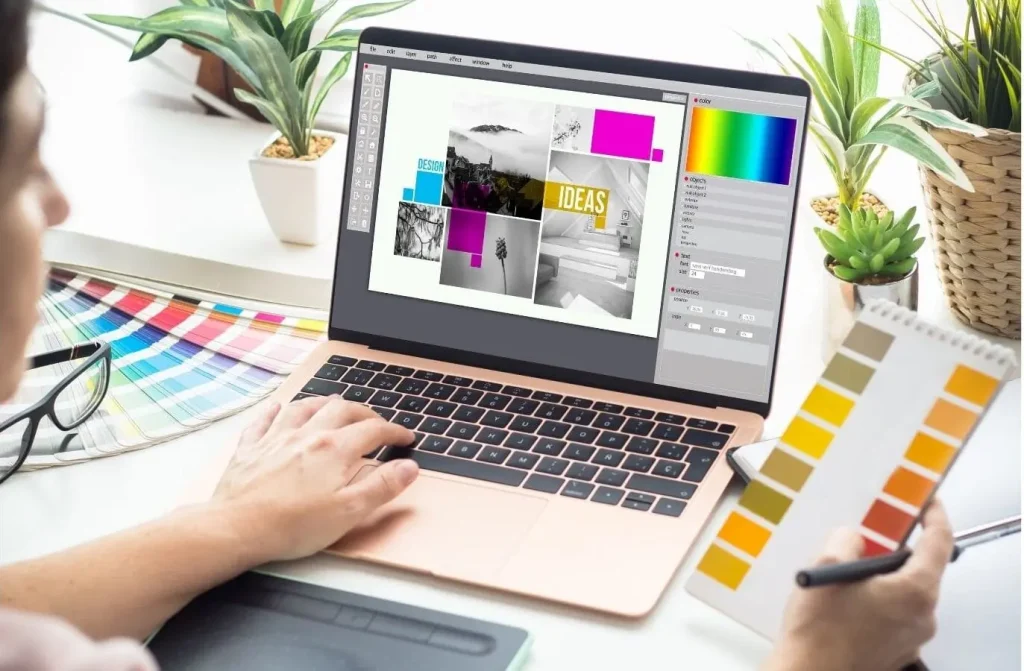
Images aren't just an aesthetic complement to content —they're also a powerful SEO tool that's too often ignored. Proper image optimization can significantly impact a website's visibility in Google, increase its loading speed, and provide a better user experience. Furthermore, well-described images have a chance to appear high in Google Images search results, attracting valuable organic traffic. So how can you ensure image SEO to fully utilize the potential of your website's visual elements?
Why is image optimization important for SEO?
Website graphics aren't just aesthetically pleasing—they also have a real impact on search engine visibility. Well-optimized images can improve a website's ranking in Google results, increase its loading speed, and enhance the overall user experience (UX).
Search engines are increasingly analyzing visual elements, treating them as an integral part of a website's content. Properly designed graphics can attract traffic not only from traditional search but also from Google Images, which is one of the underrated traffic acquisition channels.
In practice, this means that images with the correct name, ALT attribute, and appropriate compression can support content strategies and enhance activities. Furthermore, their optimization is consistent with technical SEO, which often determines a competitive advantage in search results.
Unoptimized images slow down your website, which in turn increases bounce rates and lowers your Google rankings. Therefore, image optimization should be a regular part of any SEO strategy – especially where user experience is key.
Descriptive File Names – The First Step to Effective Image SEO
While it may seem trivial, the filename of an image is crucial for SEO. Search engines like Google analyze not only the page content but also the name of each image. Proper file naming helps understand the context of the image and better match it to user queries.
Here are some practical rules worth following:
- Use a descriptive namethat clearly indicates what the image is about (e.g.
modern-kitchen-gray.jpginstead ofIMG00023.jpg). - Include keywords, but only if they are a natural description of the content.
- Use dashes instead of spaces or underscores – Google recognizes them as word separators.
- Avoid random strings of characters, numbers and names from generators.
- Ensure consistency – especially when using multiple graphics on your website or online store.
It's these details, though seemingly insignificant, that have a real impact on SEO effectiveness. If you don't have time to oversee everything, it's worth considering working with an e-commerce consultantwho will ensure the technical and visual consistency of your website.
ALT attribute – not only for accessibility, but also for Google
Alternative text (ALT) is one of the most important elements of image optimization. Its original purpose was to support accessibility—that is, to describe the content of an image to users who, for various reasons, cannot see it (e.g., blind people using screen readers). Today, it also plays a key role in SEO.
For Google, the ALT attribute is a signal that helps understand what an image represents. It allows the search engine to better index images and assign them to relevant queries. It's ALT that influences whether your image appears in Google Images results—which can significantly increase your page's visibility.
Best practices include:
– Creating short, specific descriptions of the image content, incorporating keywords naturally, without overloading them. Instead of, for example, "shoes, men's shoes, leather shoes," it's better to write "Black leather men's suit shoes."
It's worth remembering that images that are purely decorative can have an empty ALT attribute (alt=""). This allows screen readers to ignore them, and lets Google know they're irrelevant to the content.
Regularly reviewing and updating alt text should be part of your SEO strategy, especially if you're pursuing a total content SEO strategy . It's a simple way to reinforce your message and improve the positioning of your website's visual assets.
Format selection and compression – how to maintain quality and loading speed
Overly large and improperly saved image files are a common cause of slow websites. This, in turn, has a direct impact on SEO – Google rewards websites that load quickly and efficiently on both desktop and mobile devices.
Therefore, it is worth paying attention to two technical aspects:
1. File format: Traditional formats like JPG and PNG are still widely used, but they aren't always optimal. Modern formats like WebP and AVIF offer a better quality-to-file ratio, resulting in faster loading times without any noticeable loss in image quality.
2. Compression: Regardless of the format chosen, it's important to ensure proper compression. The image file should be lightweight enough not to slow down the page, but crisp enough to serve its visual purpose. This can be achieved using tools like TinyPNG, Squoosh, or built-in CMS plugin features.
Users value sites that load quickly —and Google takes this into account in rankings. Implementing optimal image formats and compression can therefore yield immediate benefits: better rankings, lower bounce rates, and higher engagement.
If you need help with technical analysis of your website, you may want to consider an e-commerce carethat also includes website performance optimization.
Graphic sizes and responsiveness – why it's worth using device-adapted images
Imagine a user visiting your website on a smartphone. The page takes a long time to load, and then a few seconds later, a giant, full-resolution image appears, distorting the layout and slowing down the site. Sound familiar? This is a classic example of non-responsive images.
Modern optimization requires adapting graphics to a variety of screen sizes—from 4-inch phones to tablets to 4K monitors. Mismatched images not only worsen user experience but also lower Google's rankings, which prioritize mobile performance.
Technically, this can be prevented in several ways:
- Using the
srcsetallows the browser to automatically select the appropriate version of the image, tailored to the device. - Element
<picture>– allows full control over which images are displayed under specific conditions (e.g. a different format for desktop, a different one for mobile). - Appropriate width in CSS – e.g.
max-width: 100%, so that the image does not extend beyond the area visible on the screen.
Responsive graphics are now the standard, not an option. Their implementation not only improves content reception but also has a real impact on website positioning – especially in the era of mobile-first indexing.
Directory structure and image URLs – impact on search engine visibility
It's not just the content of an image, but also how it's stored on the server, that affects SEO. Google analyzes the directory structure and URLs of images just as it analyzes page addresses. A clear, logical structure helps search engines better understand where specific resources are located and what they refer to.
Compare these two examples:
https://twojastrona.pl/img/123abc.jpghttps://twojastrona.pl/zdjecia/blog/optimizacja-grafik-seo.jpg
The second address not only contains keywords but also indicates that the image is related to the blog and a specific topic. This makes a huge difference to both the user and the search engine.
What is worth remembering?
- Use friendly directory names – e.g. “/products”, “/blog”, “/campaign-graphics”.
- Don't cram all your images into one folder – divide them by category, content type, or publication date.
- Use short but descriptive URL paths – without unnecessary characters and automatically generated IDs.
This approach not only organizes your files but also increases the chances that your images will be properly indexed and displayed in Google Images results. And if you're unsure whether your website's current structure supports SEO, it's worth consulting with an e-commerce consultantwho can analyze and optimize this technical aspect.
Sitemap with graphics – is it worth creating?
A sitemap is a well-known element of your SEO strategy – but did you know you can also create one that includes image URLs? This is especially useful when your page has many images that are important content but aren't necessarily embedded in the HTML (e.g., dynamically generated).
With an image map, you make it easier for Google's crawlers to find all the visual assetsthey might otherwise miss. As a result, you increase the chance of them appearing in search results, including in Google Images.
What's worth knowing:
- The image map can be part of the main sitemap.xml file or a separate document.
- You can add additional information for each graphic, such as location, title, or caption.
- It is best to generate it automatically – e.g. using dedicated plugins or SEO tools.
If your website relies on visual content (e.g., an online store, blog, portfolio), it's worth considering implementing such a map as part of your technical SEO optimization. It's a simple yet potentially very effective approach.
Image SEO and Google Images – How to Increase Traffic from Image Search
Many website owners focus solely on text search results, forgetting the powerful tool of Google Images. Yet, this is where users often look for inspiration, products, and visual answers to their questions.
Well-optimized images have a huge chance of generating valuable traffic – especially if a user clicks on the image and is redirected to the source page.
How to increase your visibility on Google Images?
- Make sure each image has a filename and an ALT attribute that describes the content – preferably with a naturally used keyword.
- Place images in context, meaning surround them with text that expands on the image's theme. This helps Google better understand its meaning.
- Take care of loading speed and responsiveness – Google rewards images from technically well-optimized websites.
- Add images to your sitemap – you increase the chance that they will be indexed.
With the right Image SEO, your photos can not only enhance your contentbut also truly support SEO and attract new users from image results. And if you want to fully utilize the potential of your visual content, consider Total Content SEO.
Common Image Optimization Mistakes and How to Avoid Them
Even the best SEO strategy can be undermined by minor graphic design mistakes. Many website owners make the same mistakes, which negatively impact their website's visibility and speed. Here's a list of common issues you should definitely avoid:
- Lack of descriptive filenames – Using default names like
IMG_001.jpgprevents search engines from understanding the image content. - Incomplete ALT attributes – omitting alternative texts is not only an accessibility problem, but also a missed opportunity for indexing in Google Images.
- Too large graphic files – lack of compression significantly slows down page loading, which has a negative impact on ranking and UX.
- Lack of responsive versions – graphics that are not adapted to mobile devices can discourage users and lead to a high bounce rate.
- Sloppy directory structure – all images thrown into one folder without any logical organization creates chaos that makes both management and indexing difficult.
- Lack of a sitemap with images – this means that some images may not be included in the search engine index at all.
The key to success is being systematic and aware of the impact each graphic element has on Google's overall website ranking. Well-optimized graphics aren't an afterthought, but a crucial part of your SEO strategy.
A comprehensive approach to optimization – when is it worth trusting the experts?
Image optimization is much more than just changing file size or adding ALT text. It's a process that requires understanding both the technical aspects of SEO and user expectations. When there are hundreds of images on a page, each affecting performance and visibility, mistakes are easy to make.
That's why more and more companies are opting for a comprehensive approach—combining technical audits, visual optimization, content initiatives, and ongoing support. This approach not only allows for increased organic traffic but also tangible improvements in sales and conversion rates.
If you're unsure whether the images on your website support SEO, it's worth consulting experts. The agency swiatcyfrowy.pl offers e-commerce support and total content SEO services , which also include search engine optimization.
Take care of every detail of your website – because they determine who finds you on Google.
Want to learn more?
Contact us and learn how to implement innovations in your online store.
Read other information about the digital world (e-commerce).
Subscribe to the newsletter

Marcin Stadnik
e-commerce advisor
The author is a manager with extensive experience in e-commerce, sales strategy, and content marketing. He is a digital practitioner and consultant with over 15 years of experience in e-commerce projects, sales strategy, and online business development, as well as 25 years of experience in broadly defined distribution (offline and online). He specializes in creating and implementing effective solutions for online stores, supporting companies in developing their digital presence. He co-creates appropriate strategies for e-businesses, conducts audits, and oversees marketing activities—always combining analytical knowledge with market practice. He is the author and co-author of content published on the swiatcyfrowy.pl website—based on his many years of consulting, analytical, and operational experience. The materials created are intended to provide reliable, valuable knowledge that truly supports the development of online businesses. The content here is designed to address the real challenges and needs of companies operating in the e-commerce environment (the digital world).


