

Contents
Google Analytics 4 (GA4) is the latest version of Google's analytics tool, replacing Universal Analytics and becoming the industry standard on July 1, 2023. It enables tracking user activity across websites and mobile apps, based on a data model built around events rather than sessions. With GA4, companies can analyze the entire user journey—from initial contact to conversion—in a single, coherent environment.
Why is it important?
GA4 addresses the challenges of the modern digital world, where users use multiple devices and channels, and business decisions must be based on current and reliable data. The new event-based model allows for much more precise analysis of user behavior, measurement of engagement, and evaluation of the effectiveness of marketing campaigns. Additionally, built-in predictive analytics and improved integration with Google tools (e.g., Google Ads, BigQuery) help optimize operations and increase return on investment.
Who is this information for?
For owners and managers of online stores (e-commerce sites), digital marketers, data analysts, and all companies that rely on online traffic to grow their business. GA4 will benefit both small and medium-sized enterprises (SMEs) looking to streamline basic analytics and large organizations requiring advanced reporting, segmentation, and integration with other systems. It's also a significant change for marketing agencies and media houses responsible for planning and reporting campaigns for their clients.
Background:
With the demise of Universal Analytics, companies were forced to migrate to GA4, which for many meant a shift in their thinking about web analytics. Instead of sessions and pageviews, the focus shifted to events, user journeys, and customer lifetime value. GA4 was designed for an omnichannel world, where users can start an interaction on a smartphone, continue it on a laptop, and complete a purchase in a mobile app. The new version of the tool also better addresses privacy and data protection requirements, offering more flexible consent and data retention settings. As a result, GA4 becomes not only the successor to Universal Analytics, but the foundation of modern analytics in the digital world.
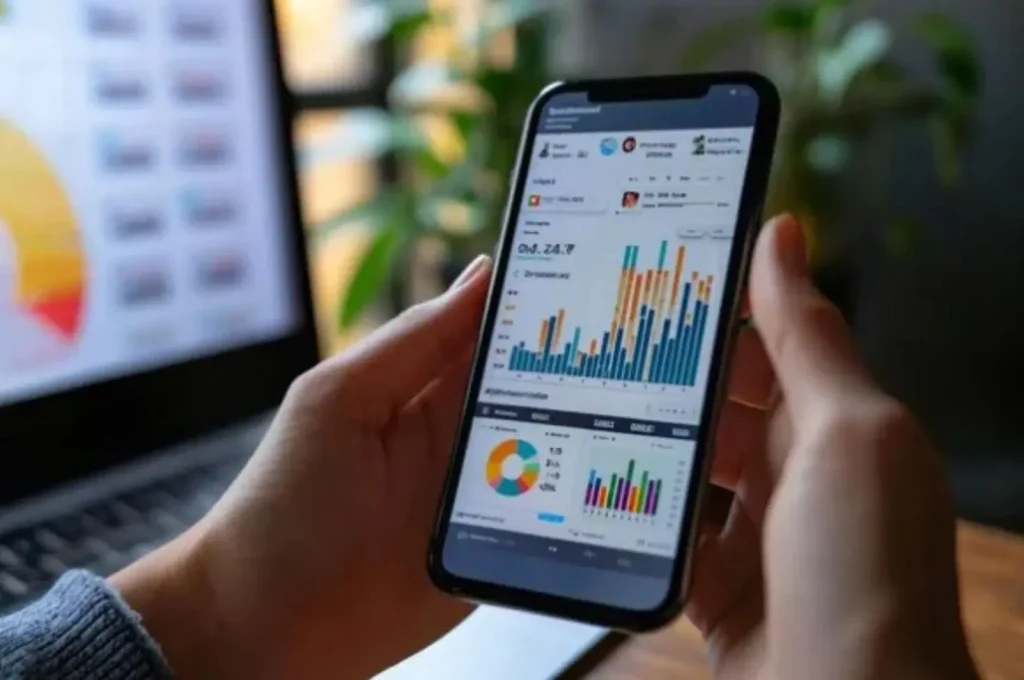
Google Analytics 4 (GA4) is the latest version of Google's popular analytics tool, replacing Universal Analytics. As of July 1, 2023, GA4 is the default choice for new accounts. It's a modern approach to data analysis that allows you to track activity across both websites and mobile apps. GA4 is a flexible and advanced solution that perfectly meets the needs of today's digital world.
One of GA4's key features is the ability to monitor user behavior in real time. This is a huge change for marketers and analysts, as it allows them to immediately respond to changing trends and adjust campaigns in near real time.
Application example:
- If you notice a sudden surge in interest in a specific product, you can immediately modify your ads or contentto make the most of the moment.
- This approach is like catching the perfect wave – reflexes and precision are key.
GA4 also introduces a new data collection model. Instead of the traditional session-based approach, GA4 is event. What does this mean in practice? Every user interaction—a click, a page scroll, a video playback—is recorded as a separate event.
Benefits of the event model:
- More detailed analysis of user behavior on a website or in an application.
- Better understanding of audience needs, preferences and intentions.
- Ability to create more relevant content and improve user experience.
- Gain insights into data that was previously difficult to capture.
What does this mean for your business? GA4 is a tool that can give you a real competitive advantage. It allows you to make decisions based on reliable, up-to-date data. In a world where data is the new currency, GA4 can become your most valuable asset.
What is Google Analytics 4 and why you should use it
Google Analytics 4 (GA4) is a modern, free analytics tool from Google that lets you monitor and analyze traffic across both websites and mobile apps. GA4 helps you better understand how users interact with your content—a foundation for effective marketing and a positive user experience.
Why use GA4? Primarily because it tracks the entire user journey—from first click to conversion, regardless of device or platform. This gives you a consistent and comprehensive view of audience behavior, allowing you to better tailor your messaging and offers to their actual needs. The result? Greater customer engagement and loyalty.
Also worth noting is the new event-based data model, which replaces traditional sessions. What does this mean in practice? You can analyze specific interactions—from clicks and scrolling to file downloads—in a more flexible and detailed way. This makes it easier to create personalized experiencesthat meet user expectations.
Data model based on events instead of sessions
One of the biggest changes in GA4 is the shift from the classic session model to an event-based approach. Previously, data was grouped into time frames, which often led to simplification and loss of context. Now, every user action—regardless of its nature—is logged as a separate event.
This allows you to analyze user behavior with much greater accuracy. For example, want to know whether clicking the "Buy Now" button or watching a product video has a greater impact on conversions? GA4 will provide you with a precise answer.
Benefits of the event model:
- Greater precision of analysis – each user action is recorded separately.
- Better understand your conversion path – you can compare the impact of different interactions on purchasing decisions.
- Personalization capabilities – data enables the creation of more tailored user experiences.
- Reporting flexibility – easier to tailor analyses to specific business goals.
This knowledge is a real treasure – especially if you care about optimizing marketing campaigns and designing effective user journeys.
A new approach to analyzing users and their behavior
GA4 transforms the way we analyze users. Instead of focusing on individual sessions, it focuses on long-term relationships and customer lifetime value (LTV). What does this mean? You can not only better understand your audience but also understand how their needs and behaviors change over the long term.
GA4 lets you capture key moments in a user's journey —from their first brand interaction, through the purchasing decision, to their return after a long absence. This allows you to create campaigns that truly hit the mark.
Application example:
- The user regularly visits a product comparison site.
- Based on this data, you create a personalized offer.
- You launch a remarketing campaign targeted at this segment.
- The result: increased marketing effectiveness and building lasting relationships with customers.
GA4 is a tool that allows you not only to analyze, but above all to act more effectively – with the user and their real needs in mind.
How to Get Started with Google Analytics 4
Getting started with Google Analytics 4 (GA4) can seem complicated, especially if you've used Universal Analytics before. However, with the right approach and a well-planned setup, the process becomes simple and intuitive.
To get started, you need to:
- Create a new Google Analytics account (if you don't already have one).
- Create a GA4 property – this is a new type of property that is different from Universal Analytics.
- Configure the data stream – i.e. the data source, e.g. your website.
GA4 offers a lot of flexibility when it comes to implementing your tracking code. You can do it in two ways:
- via Google Tag Manager – without having to edit the page code,
- manually – by pasting the code directly into the section
<head>each subpage.
It's up to you to decide which method is best , depending on your team's technical proficiency and the specific nature of your website. Both options are effective and allow you to quickly begin collecting data.
Service creation and basic configuration
The GA4 setup process begins by logging in to your Google Analytics account. Next, use the GA4 Setup Assistant, which:
- guides the user step by step through the migration process,
- automatically transfers some settings from Universal Analytics,
- allows you to quickly start collecting data without having to manually configure everything from scratch.
In just a few minutes, you can analyze data from your website – without stress and unnecessary complications.
Migrating from Universal Analytics with the GA4 Setup Assistant
As of July 1, 2023, Universal Analytics has stopped collecting data. This means that if you want to continue analyzing your website traffic, you'll need to upgrade to GA4.
The GA4 Setup Assistant makes this process much easier because:
- allows you to quickly create a new GA4 service,
- automatically transfers key settings from the previous system,
- ensures continuity of data analysis,
- minimizes the risk of losing historical data.
It is a fast, convenient and effective solutionthat allows for a smooth transition to the new analytical system.
Adding the GA4 code via Google Tag Manager or manually
There are two ways to implement the GA4 code on your website:
| Method | Advantages | Requirements |
|---|---|---|
| Google Tag Manager | No need to edit the website code, quick configuration, flexibility | Basic knowledge of GTM, access to a GTM account |
| Manually adding the code | Full control over implementation, no dependence on external tools | Technical knowledge, access to the website's source code |
Not sure which method to choose? Start with Google Tag Manager – it's safe, flexible, and doesn't require any modifications to your website's code. You can also switch to manual implementation at any time if necessary.
Collecting Data in GA4: Streams, Events, and Conversions
Google Analytics 4 (GA4) introduces a new approach to data collection compared to previous versions. Instead of traditional views and sessions, it introduces data streams , which allow you to integrate information from various sources—both websites and mobile apps.
This modern approach allows you to not only track user behavior but also analyze their interactions in detail —from clicks to purchase completion. The result? A powerful tool for optimizing marketing efforts. The more data, the better the decisions. Simple.
Configuring data streams from websites and applications
Creating data streams in GA4 is the first step to effectively collecting information from different channels—for example, mobile apps and websites. Each stream can be customized for a specific platform, allowing you to better understand user behavior.
Example: You run an online store. You can configure a separate stream for your mobile app and your desktop version. This allows you to:
- you can easily comparewhere users make purchases more often,
- you will identify channels where users only browse the offer,
- you will better tailor your marketing activities to specific platforms,
- you will get a more complete picture of the customer's purchasing path.
Such data segmentation is an invaluable source of knowledge – not only for marketing, but also for product development and customer service.
Automatic and Custom Events in GA4
GA4 significantly simplifies event tracking. Many events—such as clicks, page scrolls, and video playback—are automatically recordedwithout the need for coding. This saves time and technical resources.
Need more precise data? You can create custom eventsthat track specific user actions, such as:
- clicking the "Order a demo" button,
- sending the contact form,
- adding a product to the cart,
- subscribing to the newsletter.
This ensures your analytics become personalized and aligned with your business goals, rather than limited to default settings.
Defining and tracking conversions
In GA4, conversions are simply events that matter to you—like a purchase, signup, or app download. Setting them up is incredibly simple: simply mark the event as a conversion, and GA4 will automatically track it.
This allows you to quickly assess which user actions translate into real results. Example:
- the advertising campaign generates a lot of clicks,
- but few people complete the purchase,
- which may mean the need to change the content of the ad,
- or better matching of the target group.
Such analysis not only leads to more effective marketing campaigns, but also to a better user experience. This is crucial to your brand's success.
Reports in Google Analytics 4: Overview and Use
Google Analytics 4 (GA4) is a modern analytical tool that enables in-depth analysis of user behavior on your website. Where do they come from? What interests them? How do they respond to your campaigns? You'll find the answers right here— based on reliable data, not guesswork.
Unlike Universal Analytics, GA4 offers more flexible and advanced reporting. For example, engagement reports not only present numerical data but also support informed business decision-making. It's like having a data scientist at your fingertips—without having to hire one full-time.
Engagement Report: Interactions and Time on Page
One of the most important reports in GA4, it shows how users interact with your website. It analyzes things like:
- Time spent on individual subpages
- Things users click on
- Actions leading to conversion
These aren't just numbers—they're concrete tips for optimizing your content and page layout. If users are spending more time on the guide page than on the product page, perhaps you should better highlight your offer or reorder the content? With this data, you can effectively tailor your communications and marketing efforts.
Real Time Report: User Activity Monitoring
The Real-Time report allows you to track what's happening on your website at any given moment. It's especially useful when launching marketing campaigns where quick response is key.
You can immediately see:
- Number of active users
- Sources from which they found the site
- Content that interests them
If you notice a sudden increase in traffic from a specific channel, you can immediately increase your advertising budget or boost your content's visibility. A quick response often translates into increased profits.
Acquisition Report: Traffic Sources and Campaign Effectiveness
The Acquisition report answers questions like: Where are your users coming from? Which channels are most effective? It analyzes the effectiveness of various traffic sources, such as:
- Search engines
- Social media
- Email campaigns
- Paid advertising
With this data, you can better manage your marketing budget. If your email campaign is generating more conversions than your Facebook ads, it's worth reallocating your funds where they yield better results.
E-commerce Revenue Generation and Reporting Report
For online store owners, this is a key sales report. It contains data on:
- Transactions and revenues
- Users' shopping paths
- Cart abandonment locations
This information allows you to optimize the purchasing process and increase conversions. It's not just data analysis, but real support in making decisions that translate into increased revenue.
User Attributes and User-Based Data Model Report
The User Attributes report provides a complete picture of your audience —from demographics to technology to behavior. This allows you to better tailor your content and offerings to their needs.
For example:
- If most of your users use mobile devices, make sure your design is responsive
- If younger age groups predominate, adapt the language and form of communication
The user-driven data model enables the analysis of customer lifetime value (LTV), which is invaluable when planning retention activities and building loyalty.
Technology and Device Data Report
This report shows you which devices, browsers, and operating systems your users are using. While it may seem technical, it actually provides very useful information.
For example, if most of your visitors use Safari on iPhones, you need to ensure your site performs flawlessly there. The Technology report complements the data in the User Attributes report, giving you a more complete picture of your audience's technical profile—a real competitive advantage.
Retention Report: User Loyalty and Returns
The Retention Report allows you to assess how often users return to your website and how long they stay. This is crucial data when analyzing the effectiveness of retention efforts.
If you notice that users are returning after receiving a newsletter or discount, it's a sign that these channels are worth developing. Combined with the Engagement report, you can identify what builds customer relationships and how to nurture them.
GA4 Explorations: Creating Custom Analytics
Explorations is a feature for advanced users who want to go beyond standard reports. It allows you to create custom analyses tailored to specific business goals.
With advanced filters and segmentation, you can analyze your data with precision. Example use:
- Find out which traffic source brings in the most revenue from returning users in the last 30 days
- Analysis of user behavior from specific campaigns
- Comparison of the effectiveness of different website versions
While it may require a bit more knowledge, the results are definitely worth the effort. It's a tool that gives you complete control over your data analysis.
GA4 Integrations and Extensions
Google Analytics 4 is much more than just a website traffic monitoring tool. It's a comprehensive analytics hub that—thanks to integrations with other Google services—gains a whole new dimension. Connections to platforms like Google Ads, Looker Studio, BigQuery, Search Console , and a variety of APIs make GA4 a flexible and incredibly powerful data analysis tool.
With these integrations you can:
- create personalized reports,
- better understand user behavior,
- optimize marketing activities based on data,
- make better business decisions.
Sounds promising? And rightly so – because it is.
Google Ads Integration: Conversion Tracking and Campaign Optimization
If you want to maximize your advertising budget, integrating GA4 with Google Ads is a must. It allows you to track conversions from the moment an ad is clicked all the way to the final user action—such as a purchase, registration, or newsletter signup.
Benefits of integrating GA4 with Google Ads:
- full visibility of the conversion path,
- identification of effective and ineffective campaigns,
- supporting automated bidding strategies,
- better return on investment without increasing your budget.
In other words – more results, without more expenses.
Connecting to Looker Studio: Data Visualization
Looker Studio (formerly Data Studio) combined with GA4 transforms raw data into clear, interactive reports. It's a tool that empowers analysts, marketers, and managers to make data-driven decisions.
Use case: An online store can create a dashboard that displays real-time sales across various marketing channels. Reports can be fully customized to meet the needs of a specific team or client.
The result? Maximum flexibility and better understanding of data in daily work.
Working with BigQuery: Advanced Data Analysis
For companies looking to delve deeper into their data, the GA4 integration with BigQuery is an invaluable tool. It allows them to process massive datasets with speed and precision.
BigQuery capabilities:
- building your own predictive models,
- analysis of user paths,
- creating custom audience segments,
- comparing data from different locations and channels.
This is a solution for those who want to get the most value from their data.
Search Console Integration: Organic Results Analysis
Connecting GA4 with Search Console allows you to better understand how users find your site from search results. You can analyze the queries that generate the most clicks, check the CTR of individual pages, and identify gaps in your SEO strategy.
For example, if a page ranks high in search results but has a low CTR, it's worth working on its title or description. Such analysis not only allows you to assess the effectiveness of your efforts but also identifies specific areas for optimization.
The result? Greater visibility and effectiveness of organic activities.
Use of Measurement Protocol and API (Data API, Admin API, User Deletion API)
GA4 offers extensive integration capabilities through the Measurement Protocol and various APIs. These solutions allow for even greater flexibility and automation in working with data.
| Technology | Function | Application |
|---|---|---|
| Measurement Protocol | Offline data transfer | Integration with cash registers and CRM systems |
| API Data | Reporting automation | Creating custom reports |
| Admin API | Account Configuration Management | Automatic changes to GA4 settings |
| User Deletion API | Deleting user data | Compliance with GDPR and other regulations |
All of this makes working with data not only more flexible but also more secure. And that's the whole point, right?
Advanced analytics features in GA4
Google Analytics 4 is much more than just a data collection tool. It's a comprehensive analytics systemthat, thanks to advanced features, allows you to understand how users actually behave on your website. Crucially, it enables you to make informed marketing decisions in real time.
By integrating modern technologies like machine learning, GA4 becomes an invaluable resource not only for analysts but also for marketers. It works faster, smarter, and more effectively. It's a tool that not only shows what's happened but also predicts future events and suggests the best course of action. Sounds good? Because it is.
Machine Learning in GA4: Behavior and Conversion Prediction
Sounds like something out of a science fiction movie? But it's real. GA4 uses artificial intelligence algorithmsto analyze data and predict which user actions are most likely to result in conversions. It's like having a digital fortune-telling ball—only based on hard data, not guesswork.
How does it work in practice? The system processes vast amounts of information and identifies patterns that would be almost invisible to humans. For example, if a user:
- visits the product page more than twice a week,
- spends more than 3 minutes on the website,
- clicks on a specific button or watches a promotional video,
- this is probably close to making a purchase.
Thanks to such analyses, you can precisely tailor your messages, offers, and marketing activities to specific audience segments. The result? Greater campaign effectiveness and better budget utilization. Simple, yet effective.
Data Attribution Model: Assigning Value to Conversions
What really convinced a customer to buy? With GA4, you can find out. The data attribution model allows you to assign value to every touchpoint in the user journey—from the first ad click, through the newsletter, all the way to the final purchase. And it does it dynamically.
While GA4 offers several attribution models, the real revolution is the data-driven model. What does this mean? The system analyzes user behavior and assigns value to individual channels based on their actual impact on conversion. This allows you to:
- identify traffic sourcesthat really work,
- better plan your marketing budget,
- focus on channels that bring the highest return on investment.
Let's say an email campaign proves crucial in customers' decision-making processes – it's worth increasing its budget. At the same time, you can reduce spending on channels that aren't delivering results. Simple? Maybe not always, but with GA4 – it's definitely easier.
Advanced Event Measurement: Tracking without additional coding
Not a fan of coding? Great – GA4 doesn't require it either. Thanks to advanced event, many user interactions are automatically recorded – without the need to manually add tags or scripts.
What can GA4 track out of the box?
- clicking on links leading outside the website,
- scrolling content,
- downloading files,
- playback of video materials,
- internal searches.
This is a huge advantage, especially for marketing teams, who can focus on data analysis rather than technical configuration. What's more, this data actually matters. For example, if you see that users are scrolling to a specific section but not clicking the CTA button, it might be worth changing its content or moving it higher?
Small changes based on specific data can yield surprisingly good results. And that's exactly what GA4 is all about – not blindly, but thoughtfully.
Premium version: Google Analytics 360
Google Analytics 360 is a paid version of the GA4 platform, designed for large enterprisesthat need advanced data analysis. It offers higher processing limits and expanded analytical featuresbeyond the capabilities of the standard version. It's an ideal solution for organizations seeking to make informed business decisions based on precise and in-depth data.
What does this look like in practice? With GA4 360, you can deeply analyze user behavior —understand what they're looking for, what attracts them, and what turns them off. This knowledge allows you to plan marketing campaigns more effectively, optimize your efforts, and—most importantly— achieve better business results. In a world where data is the new currency, Google Analytics 360 can become your strategic tool for competitive advantage.
Additional Features and Data Limits in GA4 360
The premium version opens up access to a range of advanced analytical featuresnot available in the free version of GA4. One key advantage is significantly higher data limits, meaning you can analyze massive volumes of information without sacrificing detail. This is especially important for companies that generate millions of user interactions daily.
GA4 360 also offers extensive reporting capabilitiesthat allow you to create more detailed analyses of user journeys. This helps you identify key brand touchpoints and understand which actions actually lead to conversions.
Practical example: If you run an online store, GA4 360 will allow you to precisely determine which marketing channels are generating the highest return on investment. This knowledge translates directly into more effective advertising budget management and improved sales results.
Google Analytics 360 is a tool for companies that want to go beyond basic reporting and base their strategy on reliable, scalable data. If your organization struggles with analyzing large data sets and needs precise guidance for decision-making , it may be time to consider implementing GA4 360.
Ready to reach its full potential?
Most common problems and good implementation practices
Switching to Google Analytics 4 (GA4) can be a challenge , especially for those accustomed to Universal Analytics. A new data structure, a different approach to events, and a completely different interface all require reconfiguration. Sounds complicated? Maybe a bit, but with the right approach, it can be done efficiently and painlessly.
One of the best practices when implementing GA4 is to run it alongside Universal Analytics. This allows you to:
- Compare data from both systems in real time, allowing you to quickly detect differences,
- Minimize the risk of configuration errors,
- Gradually become familiar with the new interface and operating logic of GA4,
- Test and optimize your configuration without losing historical data.
This approach allows for a smooth transition and better understanding of the new analytical tool.
How to check the correctness of data collection
Are you unsure whether your GA4 data is being collected correctly? The simplest and most effective way to verify this is to use real-time reports. They allow you to instantly verify that events are being recorded correctly.
Example: A user clicks a button or fills out a form. You access the real-time report and check whether the event was recorded. If not, something went wrong. Possible causes include:
- Error in the event name (e.g. typo),
- Incorrect tag configuration in Google Tag Manager,
- No active tracking code on the website.
The sooner you detect a problem, the sooner you can fix it – and only properly collected data allows for reliable analysis.
Debugging events and testing configurations
Debugging is the foundation of effective analytics in GA4. Without it, it's difficult to have reliable data. Tools such as:
- Preview Mode in Google Tag Manager,
- GA Debugger Browser Extension,
- DebugView in GA4
– allow you to precisely track what events are sent, when and with what parameters.
Example: The "purchase" event appears in reports but does not include the transaction value. With debugging, you can:
- Check if the "value" parameter is being sent,
- Verify that the tag fires at the appropriate time,
- Correct the configuration and test it again.
Regularly testing your configuration is not a luxury – it's a necessity if you care about data that has real business value.
Data security and GDPR compliance
In an era of growing user awareness of privacy, data security and GDPR compliance are paramount. GA4 offers a range of tools to support compliance, one of the key tools being the User Deletion API.
This solution allows you to delete a specific user's data upon request. This allows you to:
- Meet the legal requirements of the GDPR,
- Build user trust through a transparent approach to their data,
- Strengthen the brand's image as responsible and privacy-conscious.
User trust is one of the most valuable currencies in the digital world today – and taking care of your personal data is an investment that pays off.
Key benefits of implementing GA4
Google Analytics 4 (GA4) isn't just another version of a popular analytics tool—it's a completely new approach to data analysis. With GA4, you can track user behavior in real time and make decisions based on real data, not guesswork.
GA4's greatest advantage is its ability to comprehensively and contextually monitor user interactions. What does this mean in practice? You can thoroughly analyze the user journey—from the moment they enter the website, through subsequent interaction stages, and eventual abandonment. This allows you to:
- Know what's working and what needs improvement —no guesswork.
- You can identify dropout moments and analyze their causes.
- You have access to real-time data, which allows you to react quickly.
- You build a strategy based on facts, not intuition.
For example, if users are abandoning their cart at a specific point in the shopping cart process, GA4 will help you identify that point and understand what's driving them away. This is the first step to:
- optimization of the purchasing process,
- increase conversion rate,
- building customer loyalty.
The key question is: can your company already use this data to leave the competition behind?
Recommendations for marketers and data analysts
For marketing and data analysis specialists, GA4 is not only a source of knowledge but also a set of tools that truly simplify their daily work. One of the most important components is Google Tag Manager, which allows for:
- independent tag management – without the need to involve the IT department,
- time savings and greater flexibility in marketing activities,
- faster implementation of changes in campaigns and A/B tests.
Regularly analyzing your data in GA4 allows you to immediately respond to changing trends and user behavior. For example, a campaign is generating traffic but not generating sales? GA4 will help you find the cause:
- Is the problem inappropriate content?
- or maybe a poorly selected target group?
- or the channel from which users come?
In the age of dynamic digital marketing, flexibility and responsiveness aren't a choice—they're a necessity. So it's worth asking yourself: is your strategy keeping up with the pace of change?
Want to learn more?
Contact us and learn how to implement innovations in your online store.
Read other information about the digital world (e-commerce).
Subscribe to the newsletter

Kornelia Makowska
e-commerce specialist
A marketing and management expert specializing in digital marketing and e-commerce, she has extensive experience managing online stores, developing online sales, and building brand presence in digital channels. She effectively creates and implements comprehensive marketing strategies, focusing on optimizing sales activities, increasing conversions, and long-term brand image enhancement. She combines expertise with a practical approach based on data analysis and insight into the latest market trends.


